Bulk delete Pinterest Pins in minutes
Select multiple Pins, review them, and delete in bulk. Clean up old content, reorganize your boards, and keep your Pinterest account tidy — all from one dashboard.
Delete hundreds of Pins at once
No more removing them one by one.
Secure Pinterest connection
Connect through official Pinterest OAuth.
Built for large Pin libraries
Use filters, search, and bulk selection to find exactly what to delete.
- 10 deletions free
- No credit card required
- You confirm every deletion
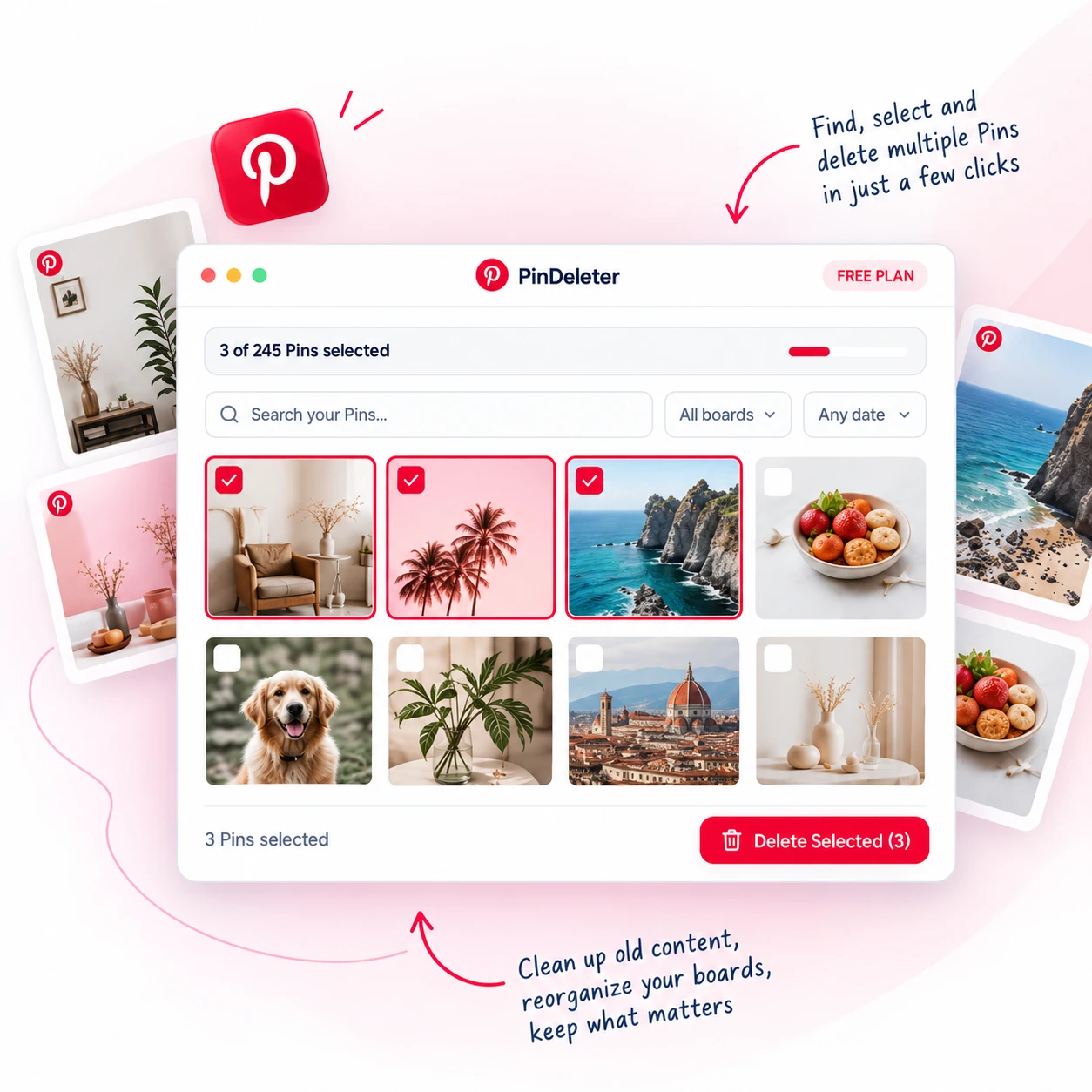
How to delete multiple Pins on Pinterest
If you need to remove more than one Pin, PinDeleter gives you a faster way to find, review, and delete Pinterest Pins in bulk.
Connect Pinterest
Securely sign in through Pinterest OAuth and choose the account you want to clean up.
Find and select Pins
Browse your boards, search Pins, apply filters, and select the Pins you want to remove.
Review and delete
Review your selection and confirm the deletion. PinDeleter then removes the selected Pins that your current plan allows.
How to delete Pins on Pinterest faster
Pinterest works well when you only need to remove an occasional Pin. But cleaning up a large account one Pin at a time can quickly become repetitive.
PinDeleter is designed for people who want to delete multiple Pins on Pinterest from one place. Instead of opening individual Pins separately, you can load your Pins, narrow them down by board or search, select the ones you no longer need, and confirm a bulk deletion.
Whether you want to remove outdated content, clean up old boards, or simply reduce the number of Pins in your account, PinDeleter makes it easier to bulk delete Pinterest Pins while keeping you in control of exactly what gets removed.
Everything you need to delete Pinterest Pins efficiently
Clean up your Pinterest account with tools designed for finding, selecting, and removing Pins in bulk.
Bulk Pin deletion
Delete multiple Pinterest Pins in one operation instead of removing each Pin individually.
Board filtering
Choose a specific Pinterest board and focus only on the Pins inside it.
Search Pins
Find Pins by title or description before selecting them for deletion.
Date filtering
Narrow down Pins based on when they were created.
Select multiple Pins
Select exactly which Pins you want to delete, including multiple Pins at once.
Confirmation before deletion
Nothing is permanently deleted until you review your selection and explicitly confirm it.
Start deleting Pinterest Pins for free
Try PinDeleter with 10 successful Pin deletions free. No credit card required.
Use the same dashboard, search, filters, and bulk selection tools available throughout PinDeleter.
Continue with PinterestNeed more? Pro and Unlimited are available for larger cleanups — see pricing.
Built for anyone who needs to clean up Pinterest Pins
Whether you manage a few boards or a large Pinterest account, PinDeleter helps you remove Pins you no longer need.
Creators
Delete outdated Pins, old campaigns, and content that no longer fits your profile.
Businesses
Clean up product, promotional, and brand Pins across multiple boards.
Active Pinners
Remove saved or outdated content and keep your Pinterest boards easier to manage.
You decide exactly what gets deleted
PinDeleter only accesses the Pinterest account you authorize.
We never ask for your Pinterest password directly.
You choose which Pins you want to remove.
Every deletion requires explicit confirmation.
Failed deletions do not count toward your Free deletion limit.
You can disconnect Pinterest from PinDeleter at any time.
Frequently asked questions about deleting Pinterest Pins
Still have questions? Here are the most common ones.
Pinterest lets you remove individual Pins from within Pinterest itself. PinDeleter is designed for larger cleanups, allowing you to load your Pins, select the ones you want to remove, and delete multiple Pins from one dashboard.
Ready to delete multiple Pinterest Pins?
Connect your Pinterest account, choose the Pins you no longer need, and clean them up from one dashboard.
10 successful deletions free · No credit card required